AI Image Gen
ImageVideoSeedanceMusicMy Creations
Pricing
Subscribe Now
ImageVideoSeedanceMusicMy CreationsPricing

Image Tools

AI Object RemoverAI Watermark RemoverAI Face SwapAI Clothes RemoverGoEdit Image TextAI InpaintingAI ComicAI Outfit ChangerAI Image ExpanderAI Pose ChangerChristmas PhotosHalloween Photo EditorAI Image Upscaler

Video Tools

AI EffectsAI Kiss GeneratorChristmas Videos
Loading...

AI Outfit Changer

Tonight, in front of the mirror, the question is always the same: what would the other me wear? Describe it here — oversized streetwear, a silk slip dress, interview-sharp tailoring — and watch it land on your own photo. The fabric settles over your shoulders, the hem finds its line; the face is still yours, and the heartbeat runs a little ahead of the progress bar. What remains is only to look.

Person photo

Outfit reference (optional)

After
BeforeAfter

The static outfit previews and step illustrations show styling ideas. Use them for direction, then check your own generated result.

What You Can Do With This AI Outfit Changer

One photo, and every version of tonight's you — describe the outfit, generate, and compare before and after on the same face. Four ways people use it most, below.

After
BeforeAfter

Try On Any Style, From Streetwear to Silk

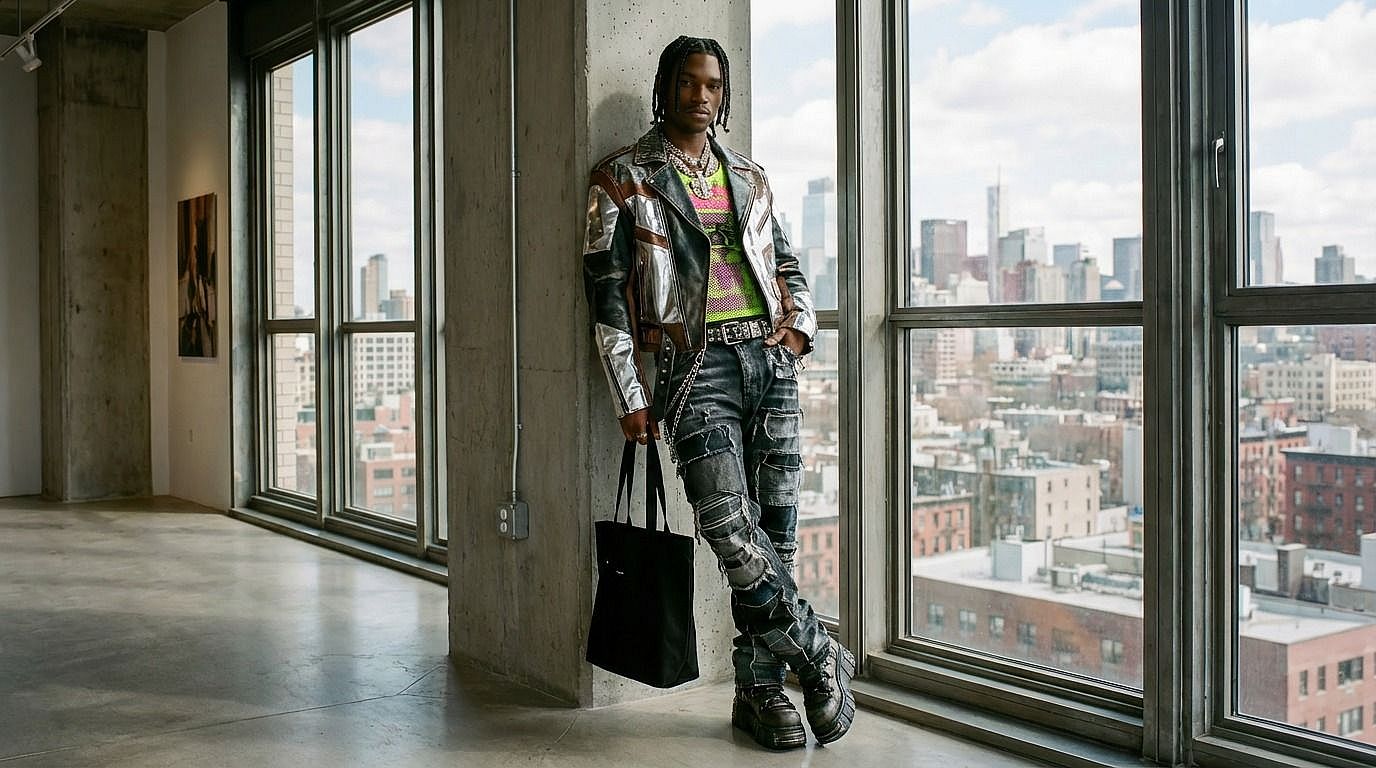
Describe casual, formal, streetwear or themed clothing — fabric, color, fit. Try a prompt like 'replace my hoodie with a camel overcoat, keep the jeans and boots'. The AI changes the outfit in your photo while your face, pose and light stay exactly where they were.
Try it Now →
After
BeforeAfter

Clothing Product Photos Without the Photoshoot

Stage outfit concepts on a model photo you are licensed to edit. Photograph one garment on a mannequin or flat lay, use it as the outfit reference in the second slot, and check logos, drape and colorway before a listing goes live — no studio, no samples shipped.

AI image generatorTry it Now →
After
BeforeAfter

OOTD Content From a Single Photo

One picture, a week of looks. Describe each outfit change — Monday blazer, Thursday vintage tee — generate the set, and line up the before-and-afters for an Instagram carousel or Pinterest board.

Try it Now →
After
BeforeAfter

Costumes, Cosplay and Themed Nights

See the costume before you sew or buy it. Describe the look down to the trim — 'matte black armor, weathered edges, high collar' — try it on in the render, and let the after-image set the direction for the real build.

Try it Now →

How to Use the AI Outfit Changer

Change outfits in your images in three steps. The whole loop — upload to download — usually takes under a minute.

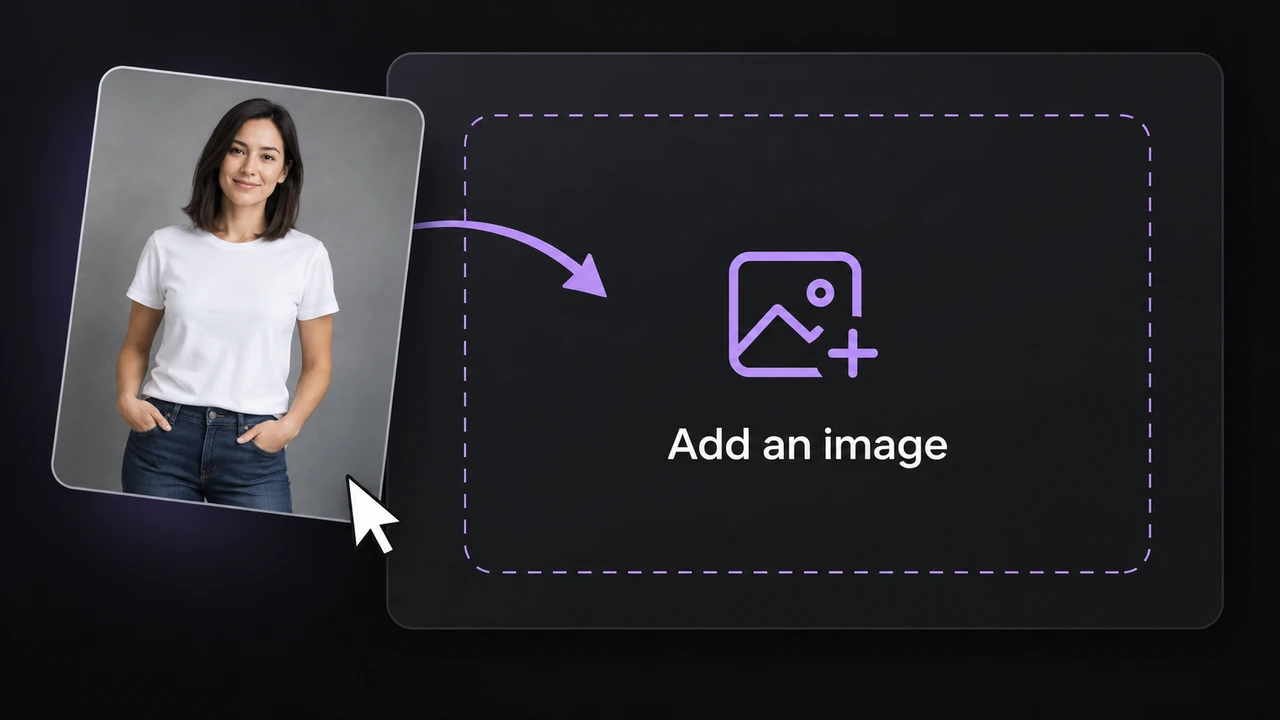
Illustration of a photo being added to the outfit changer upload area

Upload Your Image

Upload a clear person photo with the clothing visible — shoulders-up or full body both work, and plain backgrounds parse cleaner. You can also add an outfit reference in the optional second slot. Each image must be JPEG, PNG, or WebP, up to the size shown on the upload card.

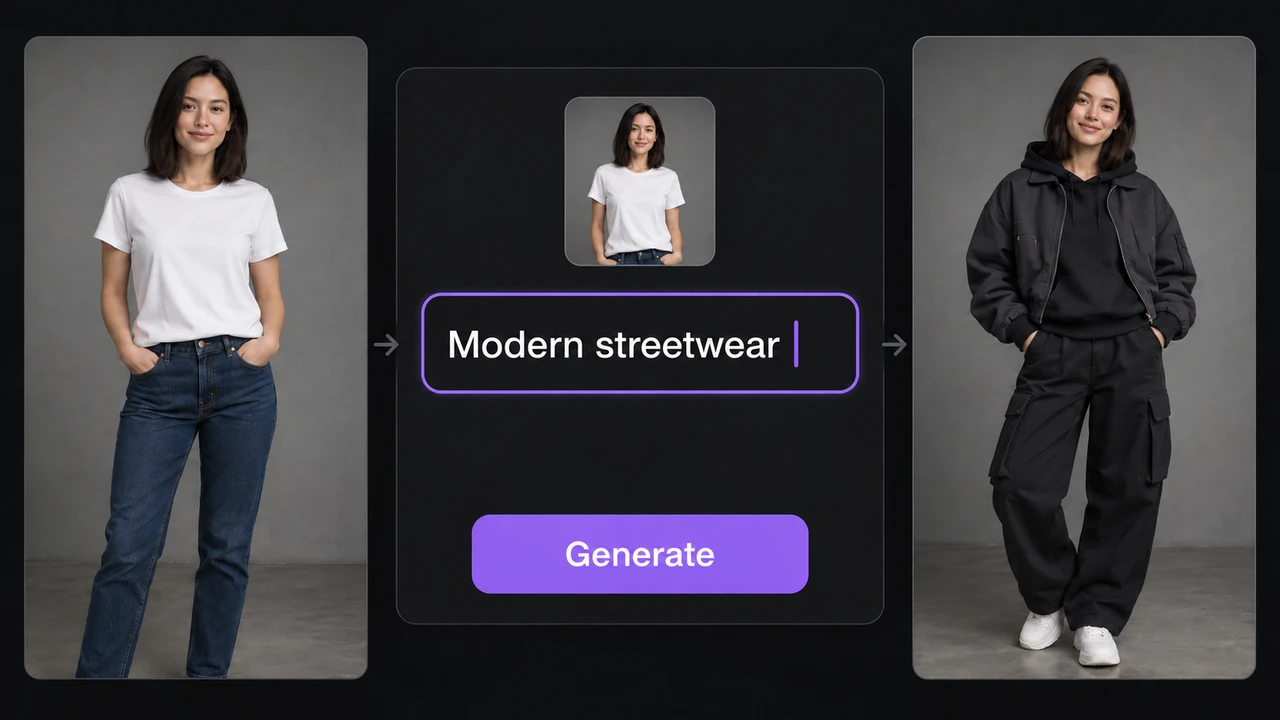
Illustration of an outfit prompt in a dark editor with a purple Generate button

Describe the New Outfit

Expand Prompt to review or edit the instructions. If you are not adding an outfit reference, describe the clothing you want — style, color, fabric, fit — the way you would say it to a friend.

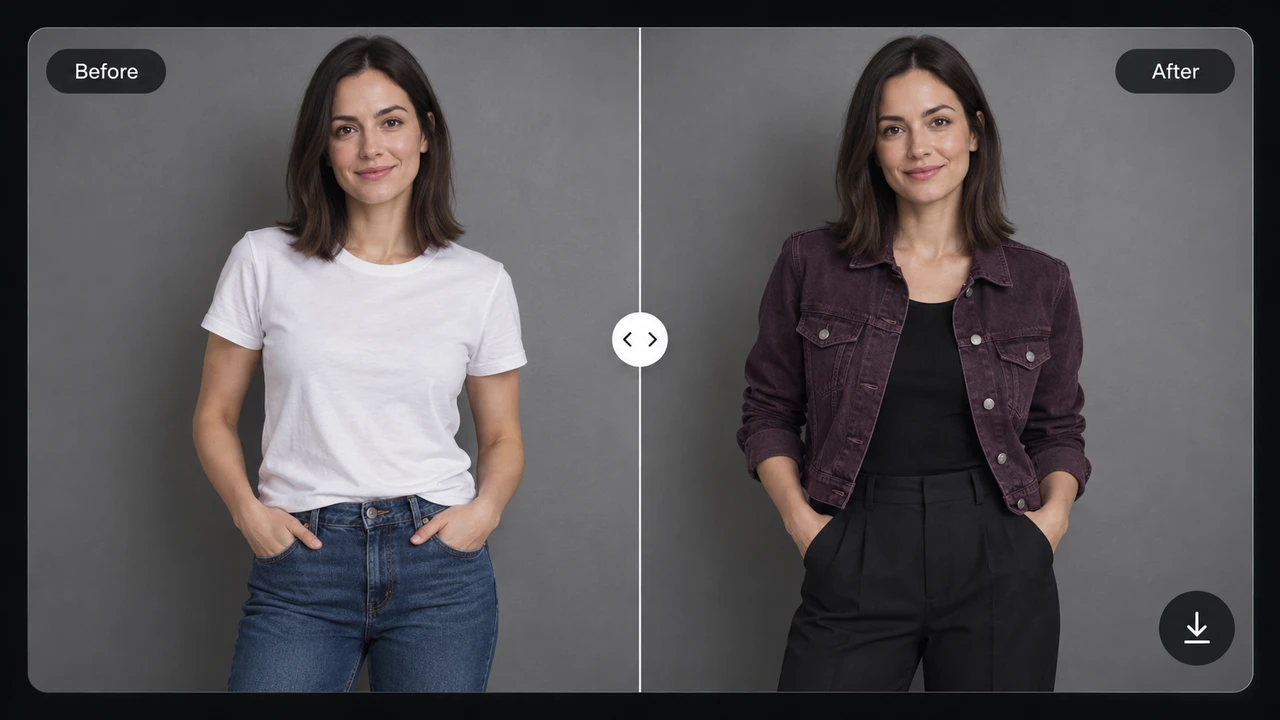
Before and after outfit illustration showing a white T-shirt changed to a plum jacket

Generate and Refine

Check the credit estimate, then generate here. Preview positions: 0% shows the result, 50% splits the original and result, and 100% shows the original. With the comparison focused, arrow keys move 5%, PageUp/PageDown move 20%, Home goes to 0%, and End goes to 100%. Check fabric, fit, color, and shadows, then inspect the person and background for unexpected changes. Adjust your prompt if needed before using the result. Then look once more: does the new outfit move the way you imagined?

Discover More AI Features

AI-generated illustration of an autumn cabin beside a stream under a full moonKraft cardboard gift packaging with cutout trees and starsAI-generated rainy city street with colorful lights at night

AI Image Gen

Create portraits, illustrations, and product concepts from a text prompt in the image workspace.

After
BeforeAfter

Image to Image

Upload a source image and describe a new style or edit in the image workspace.

Edit Image Text

Recognize existing text in an uploaded image, replace it line by line, then generate and review the edited image.

AI Object Remover

Brush over unwanted objects in an uploaded photo, then review the filled area.

After
BeforeAfter

AI Watermark Remover

Remove watermarks or overlaid text from an image you have permission to edit.

AI Face Swap

Upload one reference photo and describe the face change in a prompt, then review the result.

AI Image Upscaler

Upscale an uploaded image and review the resulting detail before downloading.

After
BeforeAfter

AI Clothes Remover

Upload one photo and edit the clothing according to the prompt you submit. Describe ordinary clothing such as a long-sleeved cotton shirt, then check the generated result.

AI Video Generator

Create videos from text or images, or edit an existing clip in the video workspace.

Frequently Asked Questions

What does this AI outfit changer do?

It changes the outfit in your photo. Upload a picture, describe or paste the outfit-change prompt, check the credit estimate, then generate and inspect the result on this page before downloading.

Which photos should I use?

A clear person photo with visible clothing is required, and you can add an outfit reference in the optional second slot. Use images you have permission to edit. Without an outfit reference, expand Prompt to describe the clothing you want.

Can I control which part of the outfit changes?

Describe the clothing to replace and the details to preserve — face, pose, background. For a painted selection instead of a full outfit change, use the separate AI Inpainting tool. Review the output for unintended changes.

Does it replace clothing or remove it?

This page replaces one outfit with another — streetwear, formal, themed looks. The preset prompt asks the model to keep the person clothed and preserve the rest of the image. To take clothing off entirely, use the separate AI Clothes Remover.

Does changing an outfit use credits?

Yes, image generation uses credits. The estimate is displayed before you submit, next to your balance. Current purchase options are listed on the pricing page.

Which image formats can I upload?

Upload a person photo and, optionally, a second image as the outfit reference. Each file must be JPEG, PNG or WEBP and no larger than the size shown on the upload area.

Will the face, pose and background stay identical?

The prompt asks the model to preserve the person and scene, but generated edits can shift details. Use a clear source photo and a focused prompt, then inspect the result on this page before use.

Try On the Outfit You Keep Imagining

Upload one photo. Write the look — tonight's version of you. Check the estimate, generate, and meet them in the before-and-after.

Change Clothes Now →

AI clothes remover: upload one adult photo, describe how far to go — you control every step. 0-credit upload, before & after view, free prompt rewrite.

AI Clothes Remover
AI Image GenAI Image Gen

Turn an idea into images, video, or music

Create

  • Image Generator
  • Image to Image Generator
  • Video Generator
  • Image to Video Generator
  • Reference to Video
  • Restyle Video
  • Music Generator

Video models

  • Seedance 2.5
  • Seedance 2.0
  • Kling v3
  • Veo 3.1 Fast
  • Wan 3.0
  • MiniMax H3
  • Grok Video 1.5
  • HappyHorse 1.1

Image models

  • Nano Banana Pro
  • Nano Banana 2
  • Nano Banana
  • GPT Image 2
  • Seedream 5.0
  • Seedream 4.5
  • Qwen Image 3.0
  • Wan 2.7

AI Tools

  • AI Object Remover
  • AI Watermark Remover
  • AI Face Swap
  • AI Clothes Remover
  • Edit Image Text
  • AI Inpainting
  • AI Comic
  • AI Outfit Changer
  • AI Image Expander
  • AI Pose Changer
  • Christmas Photos
  • Halloween Photo Editor
  • AI Image Upscaler
  • AI Effects
  • AI Kiss Generator
  • Christmas Videos

Company

  • About AI Image Gen
  • Contact us
  • Privacy Policy
  • Terms of Service
© 2026 AI Image Gen · Built with care

Person photo

Outfit reference (optional)

After
BeforeAfter