AI Image Gen
ImageVideoSeedanceMusicMy Creations
Pricing
Subscribe Now
ImageVideoSeedanceMusicMy CreationsPricing

Image Tools

AI Object RemoverAI Watermark RemoverAI Face SwapAI Clothes RemoverGoEdit Image TextAI InpaintingAI ComicAI Outfit ChangerAI Image ExpanderAI Pose ChangerChristmas PhotosHalloween Photo EditorAI Image Upscaler

Video Tools

AI EffectsAI Kiss GeneratorChristmas Videos
Loading...

Your photo, dressed for December.

Christmas AI Photo Generator

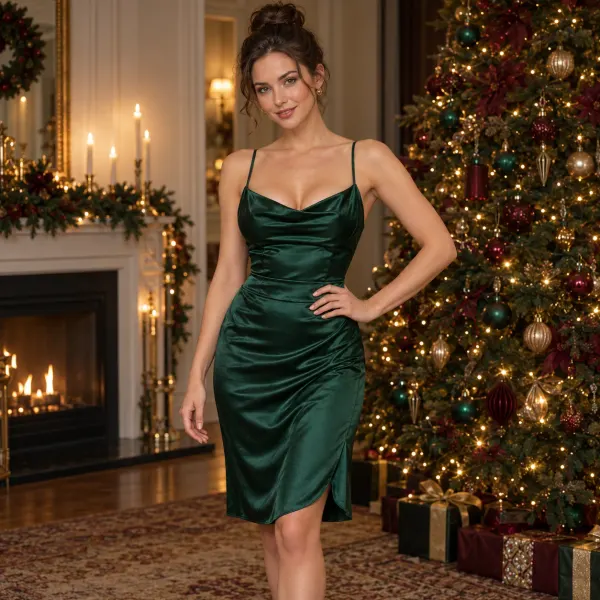
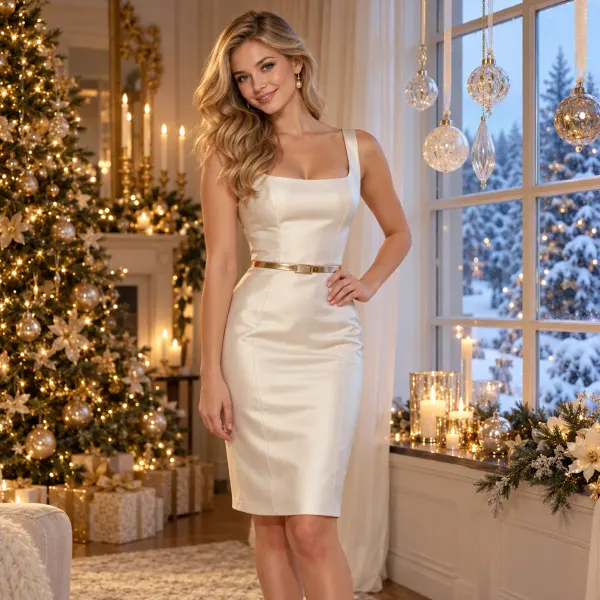
Emerald satin by the tree, ivory silk against a snowy window, or fireside satin in warm bedroom light. Start from one photo of yourself, choose a look, and write the details only you would think of.

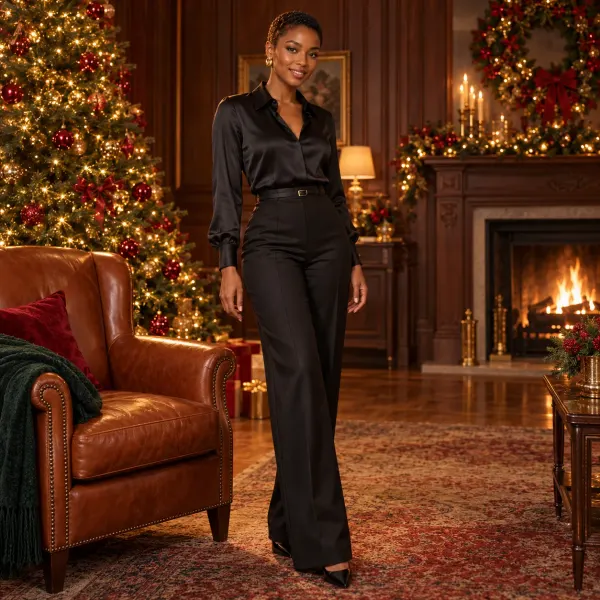
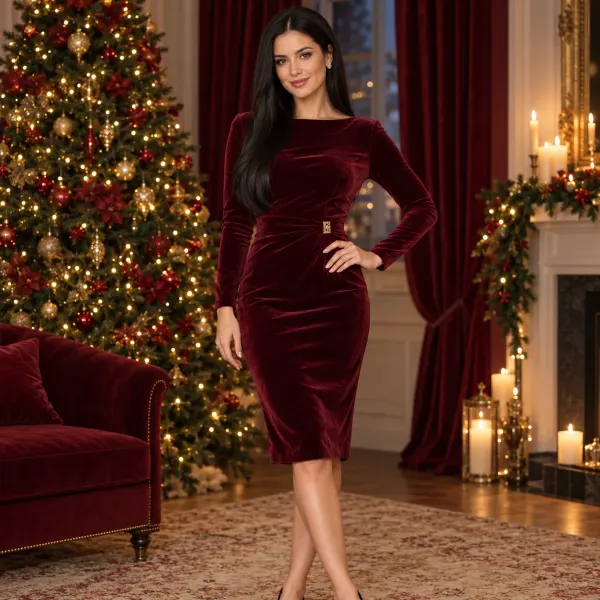
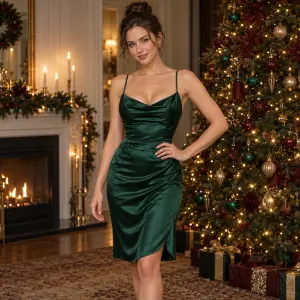
Christmas portrait of an adult woman in green satin by a treeChristmas portrait of an adult woman in an ivory silk dress by a snowy windowChristmas portrait of an adult woman standing in tailored dark silk beside a leather chairChristmas portrait of an adult woman standing in a fitted burgundy velvet dress
AI-created style examples, not finished results from this tool.
  • Start with your own photo
  • Explore different holiday looks
  • Preview and download

A Christmas photo shoot from your own portrait

Find a portrait idea you like, then try it with your own photo. The look sets the outfit and scene. For Christmas fireside satin photos, choose the fireside satin look and add your own pose or lighting idea in Customize.

How to create your Christmas photos

  1. 1

    Start with a clear portrait

    Pick a clear photo — face visible, outfit in frame. This is the person December gets to keep.

    An original portrait used as a Christmas photo referenceChristmas portrait of an adult woman in green satin by a treeChristmas portrait of an adult woman in an ivory silk dress by a snowy windowChristmas portrait of an adult woman standing in tailored dark silk beside a leather chairChristmas portrait of an adult woman standing in a fitted burgundy velvet dress
  2. 2

    Choose your Christmas look

    Pick a look, then add one detail that is only yours: a fabric, a light, a scene.

  3. 3

    Create and choose your favorite

    Create a portrait, inspect the result, and download it. Keep your photo and details while trying another look.

    Christmas portrait of an adult woman in green satin by a treeChristmas portrait of an adult woman in an ivory silk dress by a snowy windowChristmas portrait of an adult woman standing in tailored dark silk beside a leather chairChristmas portrait of an adult woman standing in a fitted burgundy velvet dress

AI-created style examples, not finished results from this tool.

Start with your photo

Found yourChristmas look?

Choose a look, then add the pose, lighting, or personal details you want in Customize.

Choose my Christmas look

Why create your Christmas portraits with AI?

Start before the decorations are up

Describe the room or winter setting without arranging a Christmas set first.

Explore your holiday wardrobe

Compare silk, velvet, and festive evening looks in your own photo.

Emerald satinIvory winter portraitDark silk loungeBurgundy velvetChristmas boudoir

Keep your photo, try another look

Switch from soft window light to a warmer evening scene without uploading your photo again. Your added details stay in place.

Choose a shape for a card or post

Find Photo options in Customize. For a card portrait, ask for space beside you and add your greeting after downloading.

AI-created style examples, not finished results from this tool.

Christmas photo ideas to make your own

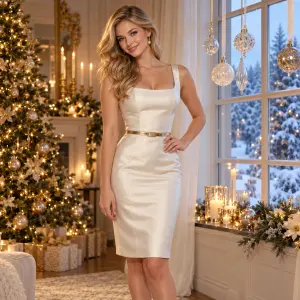
  • Create a portrait for a winter card with ivory silk, a snowy window, and delicate ornaments. This look asks for room beside the person so you can add a greeting later.

    Holiday card portrait

    Try this idea
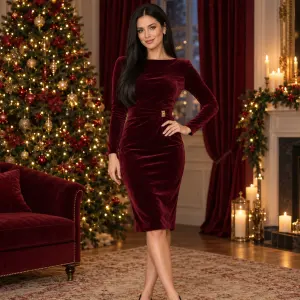
  • A burgundy velvet wrap outfit, golden tree lights, and a softly lit room create a rich evening portrait for a seasonal post or personal collection.

    Christmas evening

    Try this idea
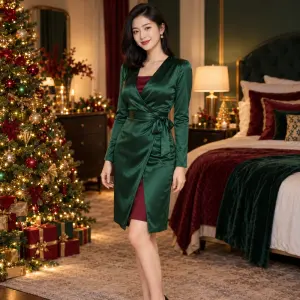
  • Pair an emerald satin robe and burgundy velvet bodysuit with a softly lit bedroom. Keep the framing close for a personal portrait, or describe more of the decorated room in Your details.

    Christmas fireside satin

    Try this idea

Christmas AI photo generator FAQs

How does the Christmas AI photo generator work?

Start with a portrait, choose a look, and add any personal details in Customize. Create when you are happy with the options, then preview and download your image.

Can I make a Christmas portrait from an everyday photo?

Yes. Your photo does not need Christmas decorations or festive clothing. Describe the changes you want in the scene, outfit, and light.

How do I create Christmas fireside satin photos with lights?

Choose Christmas fireside satin, then try 'warm tree lights behind me, soft side lighting, and a relaxed seated pose' in Your details. The look starts with a satin robe over a velvet bodysuit; you can change those wardrobe details too.

Will it keep my face exactly the same?

The uploaded photo guides the appearance, but AI may change facial features and small details. A clear source photo and clear details in Your details help you direct the edit. Review the result before using it.

Can I use the result for a Christmas card or social post?

Yes. Describe the framing you want in Your details and check the downloaded image at full size. The winter-window look asks for space beside the person for a greeting; add the final text in your preferred editor.

Do I need to book a photo shoot or install an app?

No separate photo shoot or app is needed to use this tool. Upload a photo from your phone or computer and create in the browser.

Does generating a Christmas photo use credits?

Yes. Generation uses credits, with an estimate shown before you submit. Uploading a photo or changing a preset does not start a generation.

Four Christmas portrait moods

Compare warm tree lights with a brighter winter window, or silk with velvet. For a satin-robe and velvet-bodysuit portrait, choose Christmas fireside satin in Customize.

Christmas portrait of an adult woman in green satin by a tree

Emerald satin & tree lights

A soft bedroom portrait in deep green silk and warm gold.

Try this look
Christmas portrait of an adult woman in an ivory silk dress by a snowy window

Ivory silk & a snowy window

A bright winter portrait with delicate hanging ornaments.

Try this look
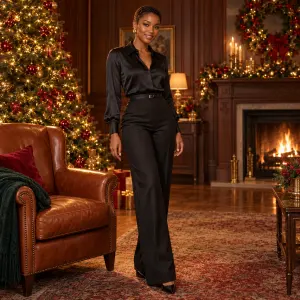
Christmas portrait of an adult woman standing in tailored dark silk beside a leather chair

Dark loungewear & leather

A relaxed portrait with dark silk, a leather chair, and festive lights.

Try this look
Christmas portrait of an adult woman standing in a fitted burgundy velvet dress

Burgundy velvet & golden lights

An evening portrait with rich color and a softly glowing tree.

Try this look

AI-created style examples, not finished results from this tool.

Keep creating with your Christmas look

Animate your Christmas portrait

Use your portrait as a visual reference for a short Christmas video.

Try another holiday outfit

Explore a separate outfit edit with your own photo and style reference.

Continue with a photo edit

Describe another change to your portrait in the image editor.

December is waiting for your portrait.

Back to your photo — look chosen, details written, create pressed. See what the tree lights do to you.

Start with your photo
AI Image GenAI Image Gen

Turn an idea into images, video, or music

Create

  • Image Generator
  • Image to Image Generator
  • Video Generator
  • Image to Video Generator
  • Reference to Video
  • Restyle Video
  • Music Generator

Video models

  • Seedance 2.5
  • Seedance 2.0
  • Kling v3
  • Veo 3.1 Fast
  • Wan 3.0
  • MiniMax H3
  • Grok Video 1.5
  • HappyHorse 1.1

Image models

  • Nano Banana Pro
  • Nano Banana 2
  • Nano Banana
  • GPT Image 2
  • Seedream 5.0
  • Seedream 4.5
  • Qwen Image 3.0
  • Wan 2.7

AI Tools

  • AI Object Remover
  • AI Watermark Remover
  • AI Face Swap
  • AI Clothes Remover
  • Edit Image Text
  • AI Inpainting
  • AI Comic
  • AI Outfit Changer
  • AI Image Expander
  • AI Pose Changer
  • Christmas Photos
  • Halloween Photo Editor
  • AI Image Upscaler
  • AI Effects
  • AI Kiss Generator
  • Christmas Videos

Company

  • About AI Image Gen
  • Contact us
  • Privacy Policy
  • Terms of Service
© 2026 AI Image Gen · Built with care

Your photo, dressed for December.

Christmas AI Photo Generator

Emerald satin by the tree, ivory silk against a snowy window, or fireside satin in warm bedroom light. Start from one photo of yourself, choose a look, and write the details only you would think of.
Choose a clear, front-facing photo
Choose your Christmas look

Pick the look you like. You can add your own ideas below.

Fitted green silk and warm Christmas tree lights.

View history
Christmas portrait of an adult woman in green satin by a treeChristmas portrait of an adult woman in an ivory silk dress by a snowy windowChristmas portrait of an adult woman standing in tailored dark silk beside a leather chairChristmas portrait of an adult woman standing in a fitted burgundy velvet dress
AI-created style examples, not finished results from this tool.